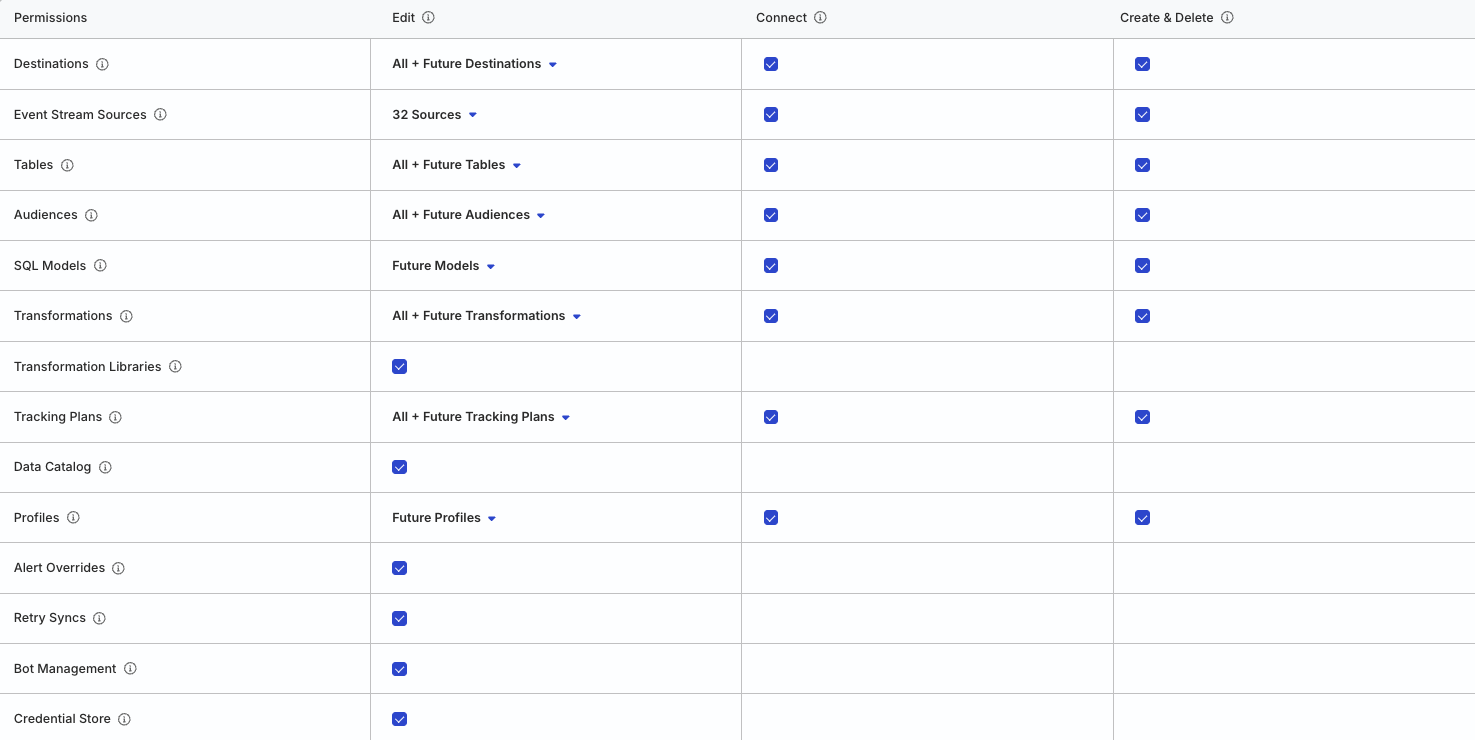
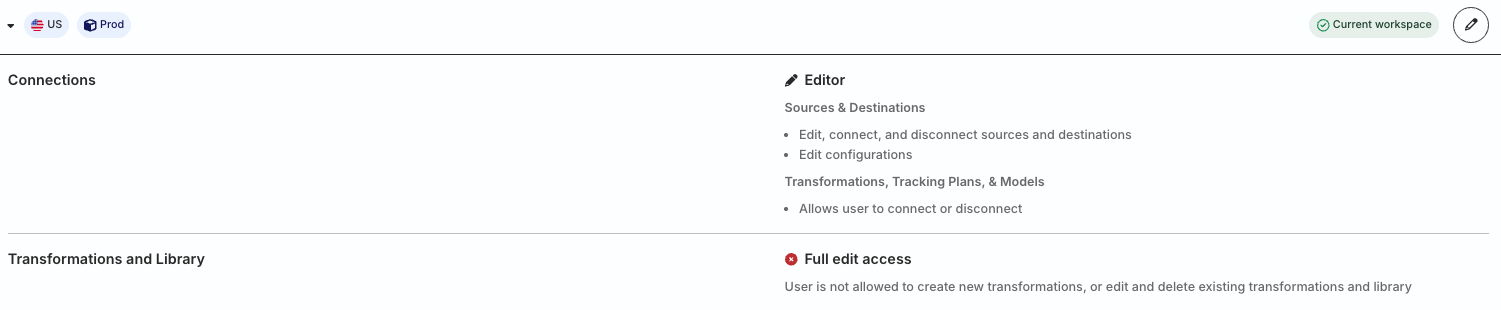
These examples demonstrate how RudderStack preserves granular resource-level permissions during migration, maintaining the same restricted access the member had before.
Important: Service Access Tokens Migration
The migration examples in this guide also apply to Service Access Tokens with resource-level permission restrictions.
Connections Admin role
The example in this section covers a migration scenario for members with the Connections Admin role.
Scenario
A user with a Member role has the following access policy in the legacy RBAC system:
Connections Admin role with permissions to create, edit, connect, and disconnect resources (sources, destinations, transformations, Tracking Plans, etc.)
Full edit access to create, edit, and delete transformations and transformation libraries
In addition, the user does not have permissions to edit or make changes to 3 sources (configurable via the Permissions tab in the source page):
After migration, the user’s individual Member Workspace Policy in the new Access Management system will look as follows:
The member’s permissions are preserved, with full access to all resources and PII views, except for 3 sources where they no longer have edit permissions.
This is in contrast to the previous example, where the member had edit permissions for all sources.
Connections Editor role
The example in this section covers a migration scenario for members with the Connections Editor role.
Scenario
A user with a Member role has the following access policy in the legacy RBAC system:
Connections Editor role with permissions to edit, connect, and disconnect resources (sources, destinations, transformations, Tracking Plans, etc.)
No edit access to create, edit, and delete transformations and transformation libraries
In addition, the user does not have permissions to edit or make changes to 3 sources (configurable via the Permissions tab in the source page):
After migration, the user’s individual Member Workspace Policy in the new Access Management system will look as follows:
The member’s permissions are preserved during migration so that they:
Can edit and connect resources except the 3 sources where they no longer have edit permissions
Cannot create or delete resources
Cannot edit, connect, or create/delete transformations and transformation libraries
Connections Viewer role
The Connections Viewer role is a read-only role and does not have Edit permissions by default. Hence, resource-level permission restrictions do not apply to them.
This site uses cookies to improve your experience while you navigate through the website. Out of
these
cookies, the cookies that are categorized as necessary are stored on your browser as they are as
essential
for the working of basic functionalities of the website. We also use third-party cookies that
help
us
analyze and understand how you use this website. These cookies will be stored in your browser
only
with
your
consent. You also have the option to opt-out of these cookies. But opting out of some of these
cookies
may
have an effect on your browsing experience.
Necessary
Always Enabled
Necessary cookies are absolutely essential for the website to function properly. This
category only includes cookies that ensures basic functionalities and security
features of the website. These cookies do not store any personal information.
This site uses cookies to improve your experience. If you want to
learn more about cookies and why we use them, visit our cookie
policy. We'll assume you're ok with this, but you can opt-out if you wish Cookie Settings.