Migration Example: Users and Tokens with No Resource-level Permission Restrictions

Example of how migration works when users and Service Access Tokens have no resource-level permission restrictions in their access policy.
Available Plans
  • starter
  • growth
  • enterprise

announcement

Self-serve migration availability

The self-serve migration feature for users on the legacy RBAC system is currently gated and will be generally available on March 16, 2026.

Contact RudderStack Support if you’d like to enable it for your organization in the meantime.

The examples in this guide show how migration works when a user does not have any resource-level permissions configured as a part of their role in the legacy Permissions Management (RBAC) system.

info

Important: Service Access Tokens Migration

The migration examples in this guide also apply to Service Access Tokens created in the legacy RBAC system.

For example, if a Service Access Token is created with the Connections Admin role, it will be migrated with the same permissions as a member with the Connections Admin role.

Connections Admin role

The example in this section covers a migration scenario for members with the Connections Admin role.

Scenario

A user with a Member role has the following access policy in the legacy RBAC system:

  • Connections Admin role with permissions to create, edit, connect, and disconnect resources (sources, destinations, transformations, Tracking Plans, etc.)
  • Full edit access to create, edit, and delete transformations and transformation libraries

Migration result

info
This example assumes no changes were made to the Baseline Workspace Policy or the individual’s Member Workspace Policy in staging.

After migration, the user’s individual Member Workspace Policy in the new Access Management system will look as follows:

The member’s permissions are preserved, with full access to all resources and PII views, maintaining the same access level they had before migration.

Connections Editor role

The example in this section covers a migration scenario for members with the Connections Editor role.

Scenario

A user with a Member role has the following access policy in the legacy RBAC system:

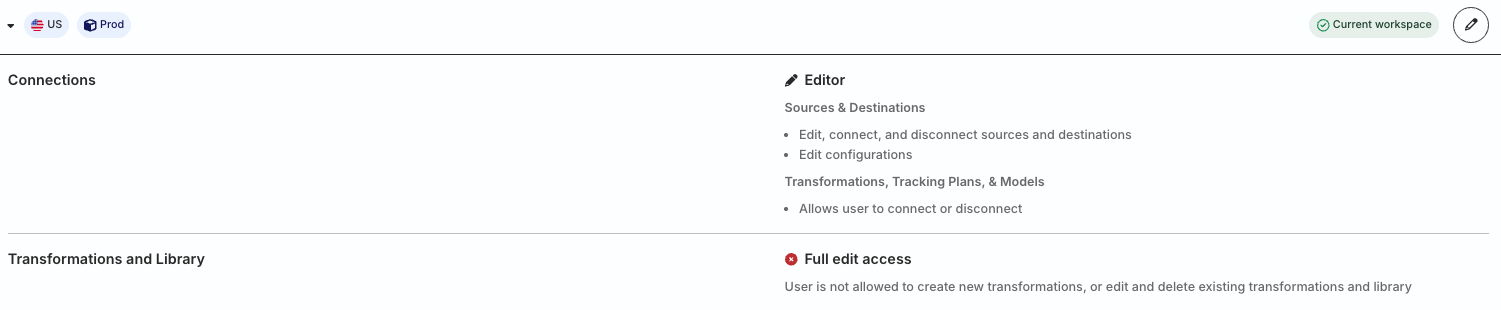
  • Connections Editor role with permissions to edit, connect, and disconnect resources (sources, destinations, transformations, Tracking Plans, etc.)
  • No edit access to create, edit, and delete transformations and transformation libraries

Migration result

info
This example assumes no changes were made to the Baseline Workspace Policy or the individual’s Member Workspace Policy in staging.

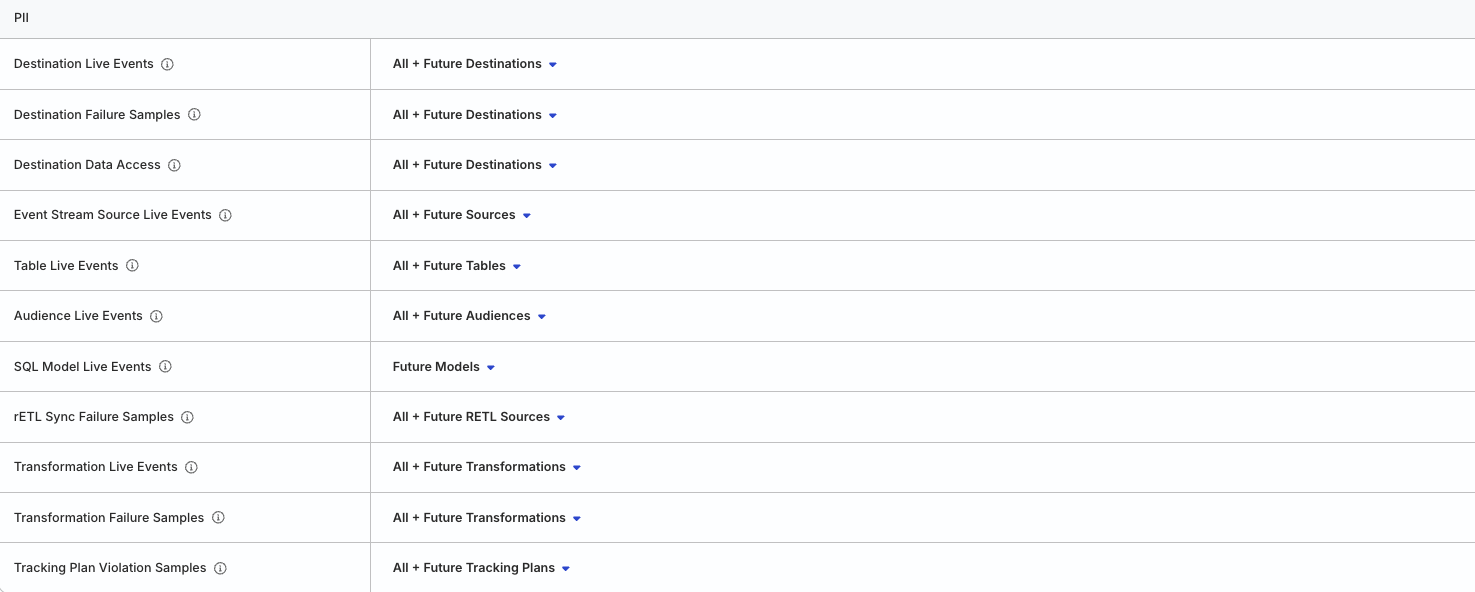
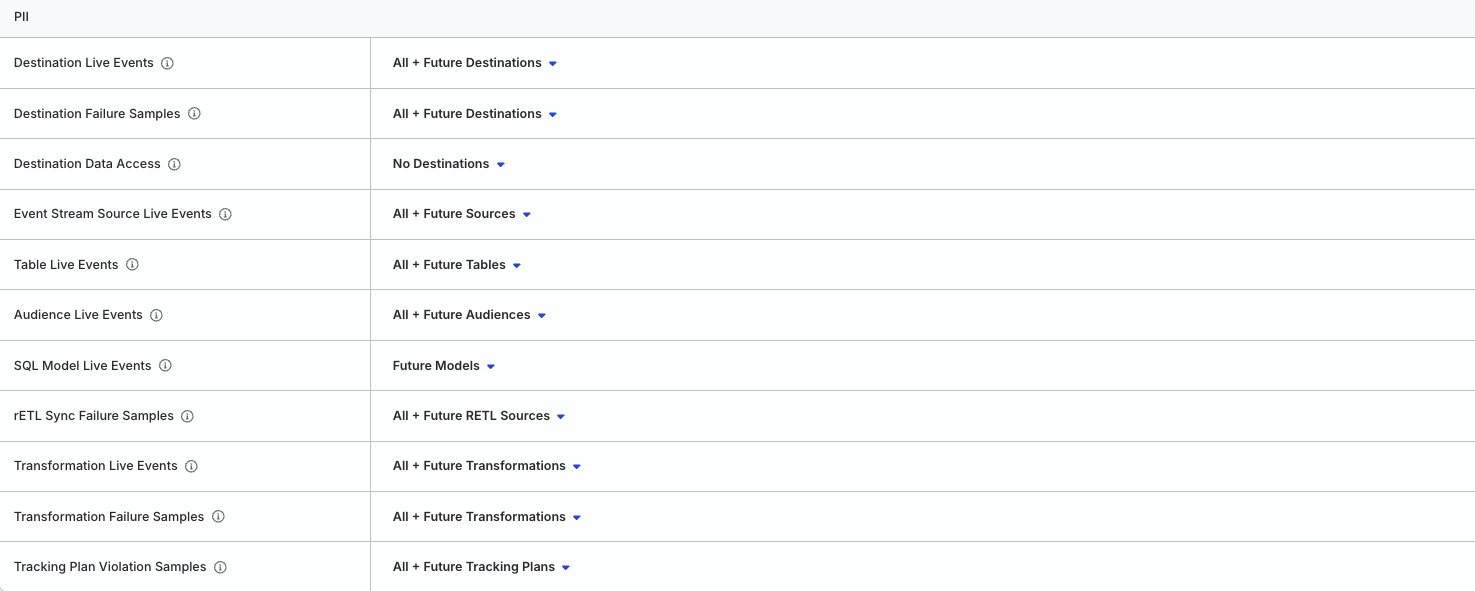
After migration, the user’s individual Member Workspace Policy in the new Access Management system will look as follows:

Migration example showing new permissions model for resources
Migration example showing new permissions model for PII

The member’s permissions are preserved during migration so that they:

  • Can edit and connect resources
  • Cannot create or delete resources
  • Cannot edit, connect, or create/delete transformations and transformation libraries

Connections Viewer role

The example in this section covers a migration scenario for members with the Connections Viewer role.

Scenario

A user with a Member role has the following access policy in the legacy RBAC system:

  • Connections Viewer role with read-only permissions to view resources (sources, destinations, transformations, Tracking Plans, etc.)
  • No edit access to create, edit, delete, or connect resources (sources, destinations, transformations, Tracking Plans, etc.)

Migration result

info
This example assumes no changes were made to the Baseline Workspace Policy or the individual’s Member Workspace Policy in staging.

After migration, the user’s individual Member Workspace Policy in the new Access Management system will look as follows:

Migration example showing new permissions model for resources
Migration example showing new permissions model for PII

The member’s permissions are preserved during migration so that they can view all resources but cannot edit, create, delete, or connect them.


Questions? We're here to help.

Join the RudderStack Slack community or email us for support